Skip to the content

Everything your clients run their business on.

One app for every client, under your name: their website, inbox, bookings, payments, staff and an AI team. You bring the clients and the service; the software is yours to sell.

14 days free, then your plan's price. Cancel anytime; you'll get a reminder before you're charged.

Win customers

Websites and SEO

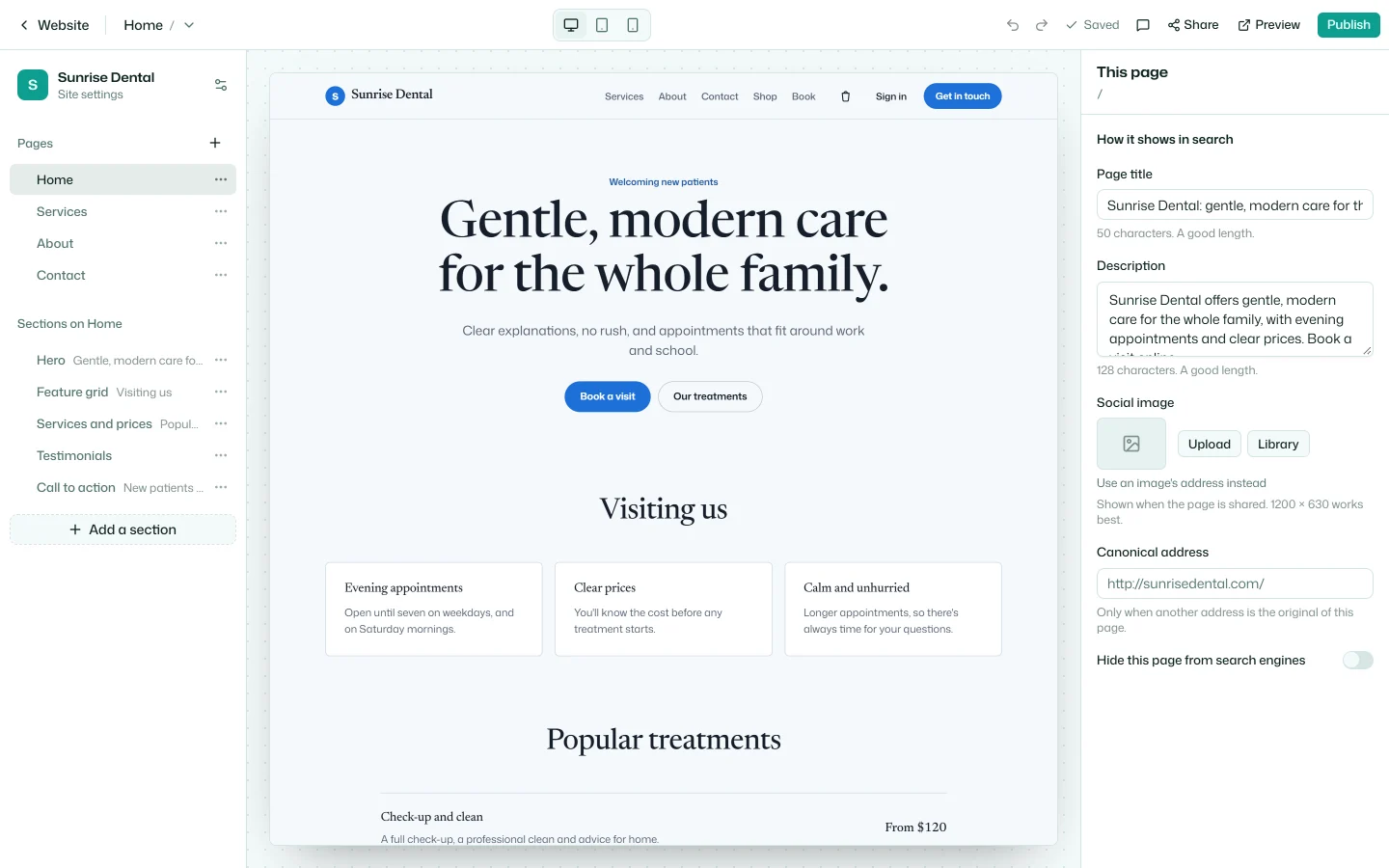
Your clients' websites, made in the app and served on their own domains, with an SEO panel that says what to fix next.

  • Starters written in the client's name
  • A blog, a shop and online booking
  • Review links for the client to sign off
  • Every publish kept, to go back to
  • Titles, redirects and a sitemap
The website builder around Sunrise Dental's home page, with the page's search settings beside it

Forms

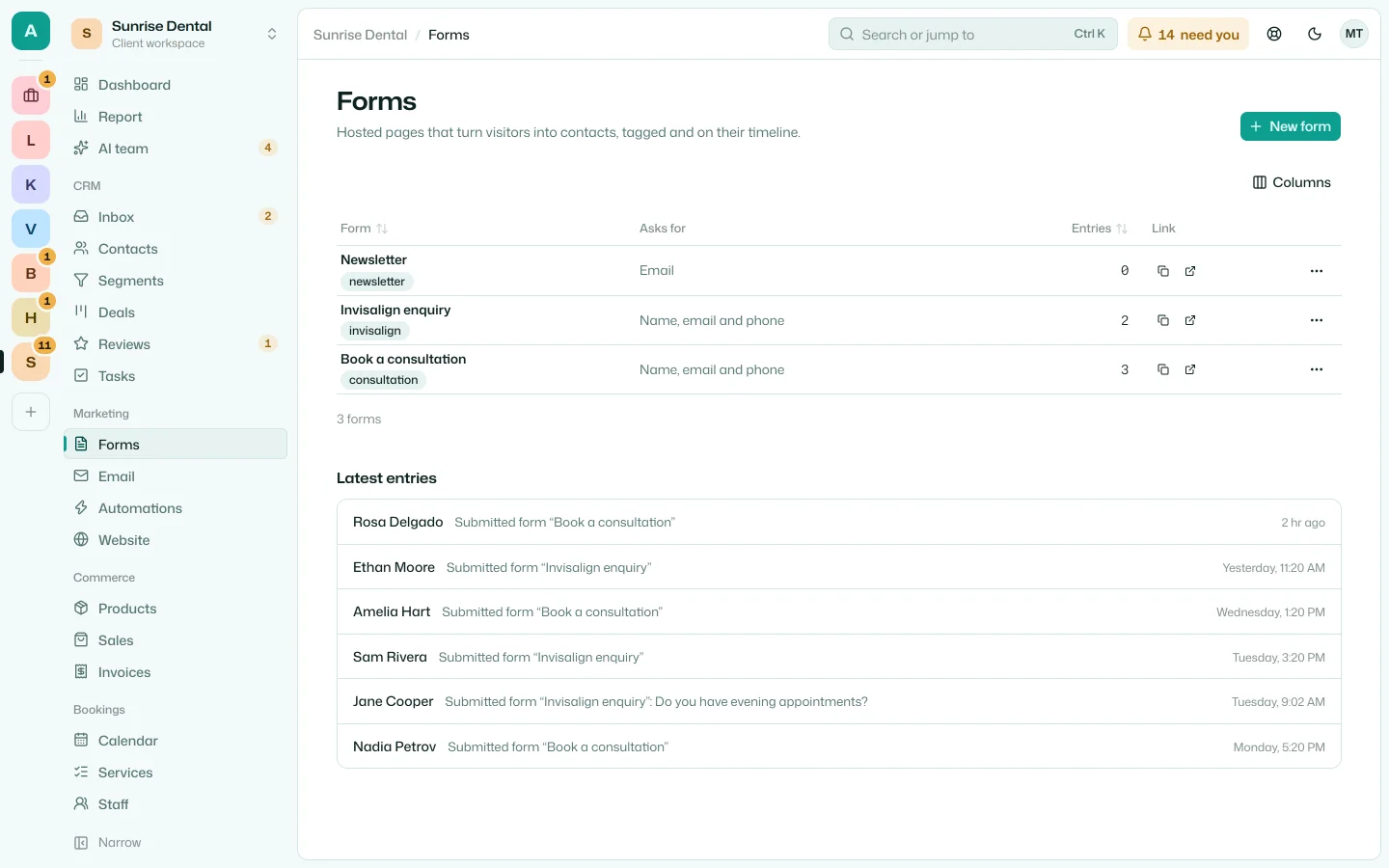
Lead forms on the client's site or anywhere else. Every entry becomes a contact, with where it came from.

  • Embedded, or shared by link
  • Tags and automations on every entry
  • Spam kept out
Sunrise Dental's three forms and their latest entries

Inbox and chat

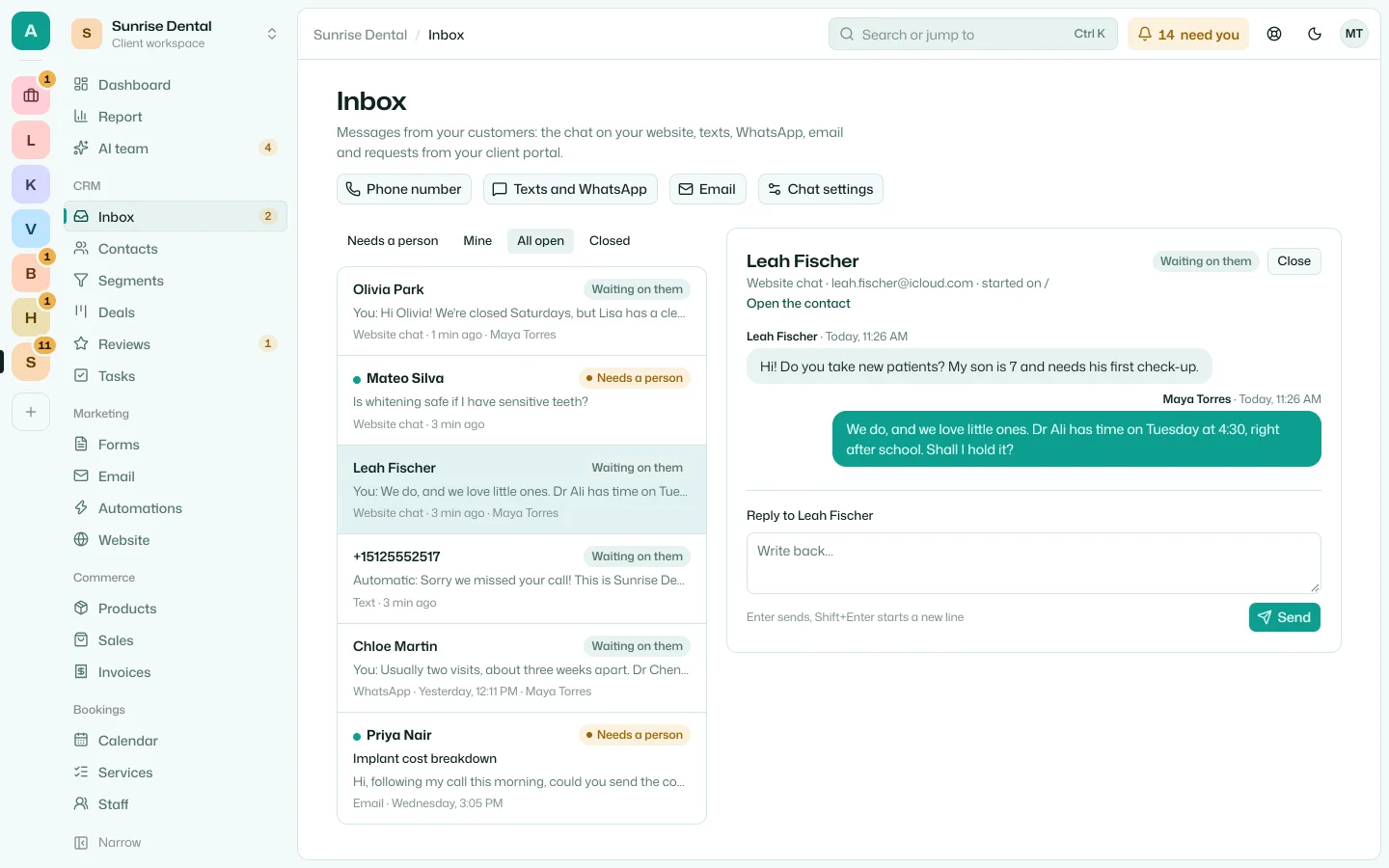
Every message from a client's customers in one inbox: the website's chat, texts, WhatsApp and email.

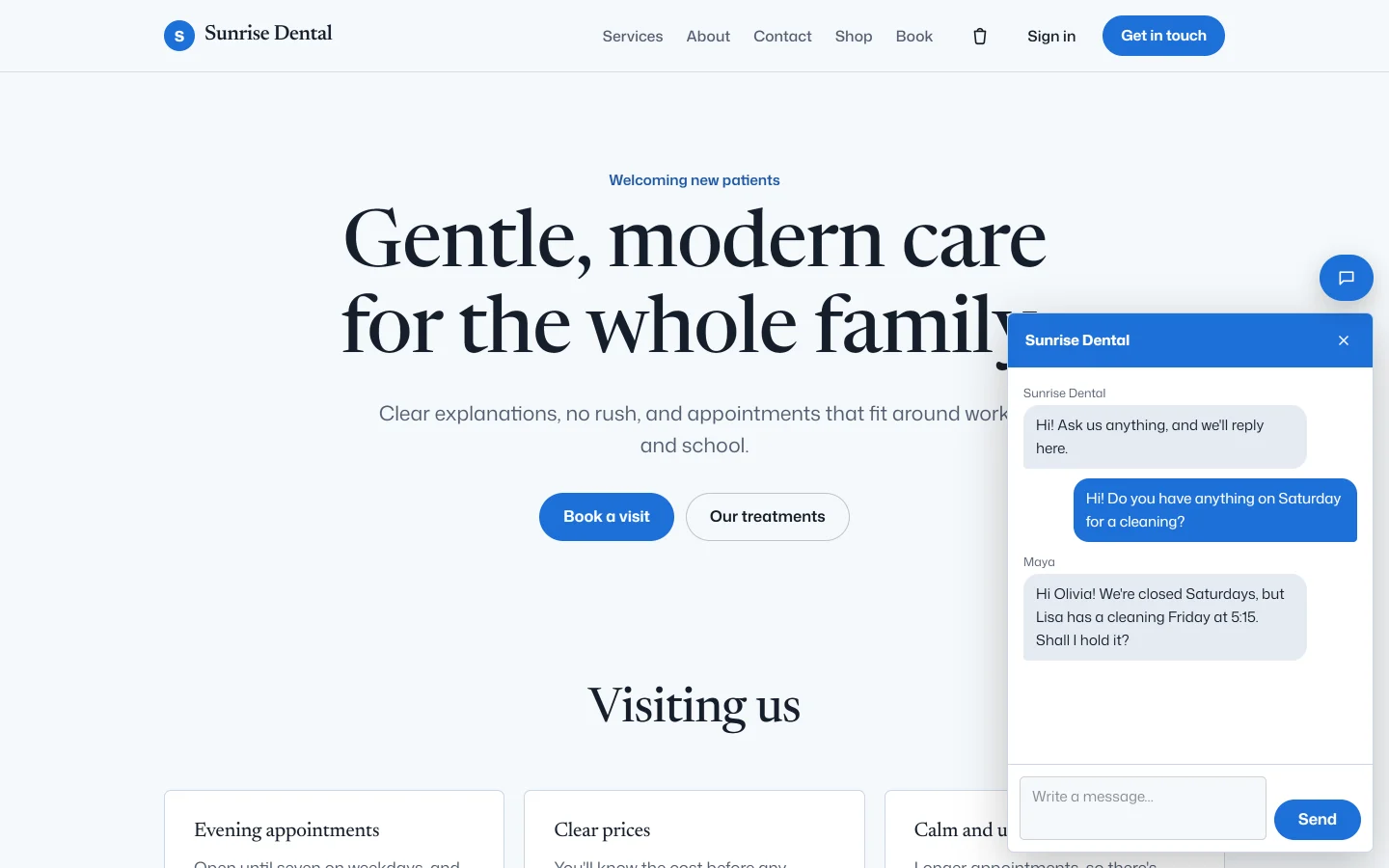
  • A chat on every page of the client's site
  • Texts and WhatsApp on the client's number
  • Email in, replies out
  • Customers waiting, first on the home screen
The inbox: open conversations from the chat, texts, WhatsApp and email, with Leah's chat open
The chat on Sunrise Dental's website, with the front desk's answer
The front desk answers in the inbox; the visitor reads it in the chat on Sunrise Dental's website.

Reviews

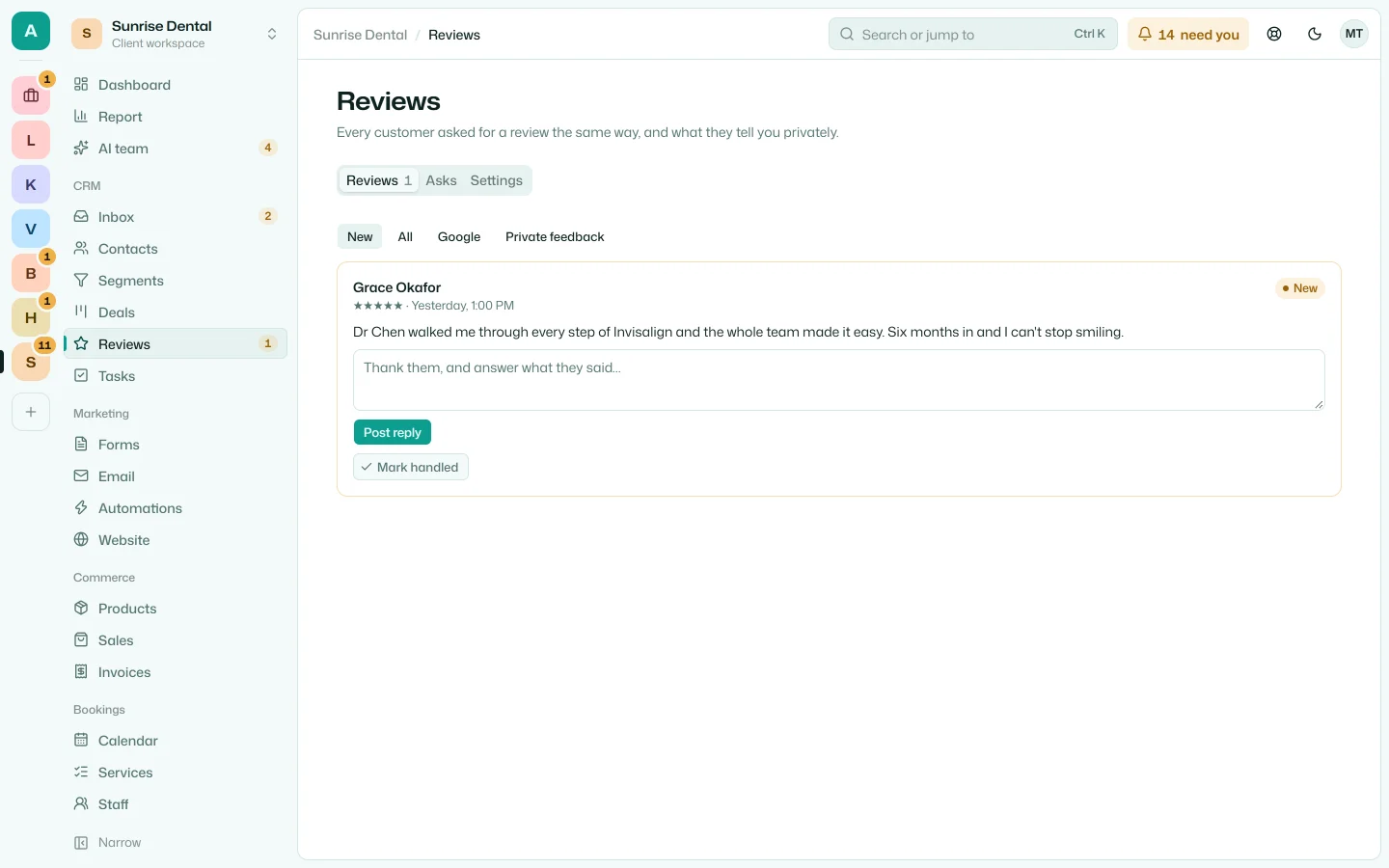
Every happy customer asked for a Google review the same way, and every review answered.

  • Asked after a booking, a sale or a chat
  • Private feedback beside the Google link
  • Replies drafted by the AI team
  • The rating on the client's website
Sunrise Dental's Google reviews, the newest waiting for a reply

Email and automations

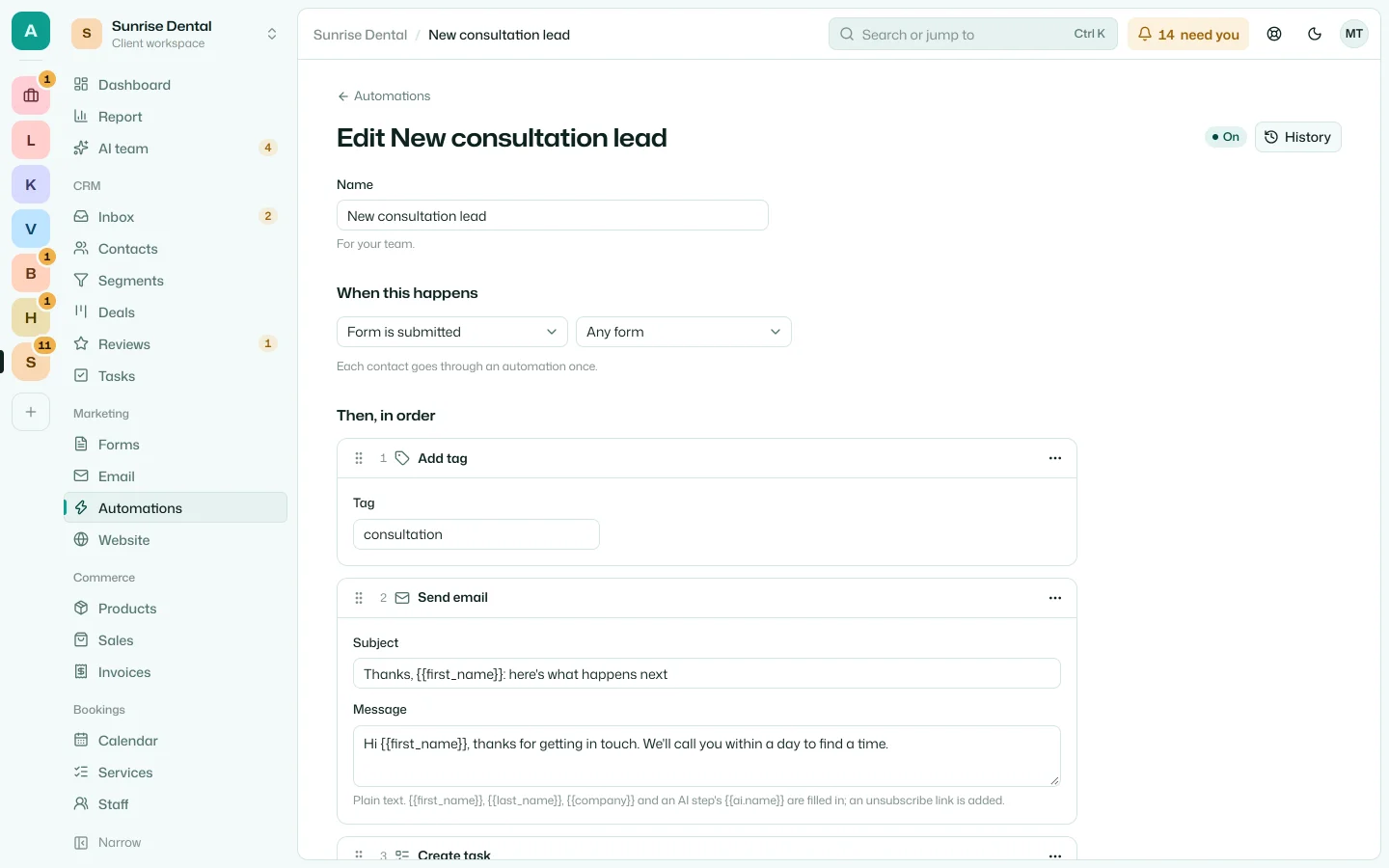
Campaigns from the client's own domain, and follow-up that runs itself: when this happens, do that, then wait.

  • Campaigns to a segment
  • Started by forms, tags, deals, bookings, orders and calls
  • Waits, emails, tasks, calls and AI steps
  • Where each contact is, and why one stopped
An automation's steps: tag the lead, send the welcome email, add a task, wait two days, then ask the AI team to follow up

Serve them

Bookings

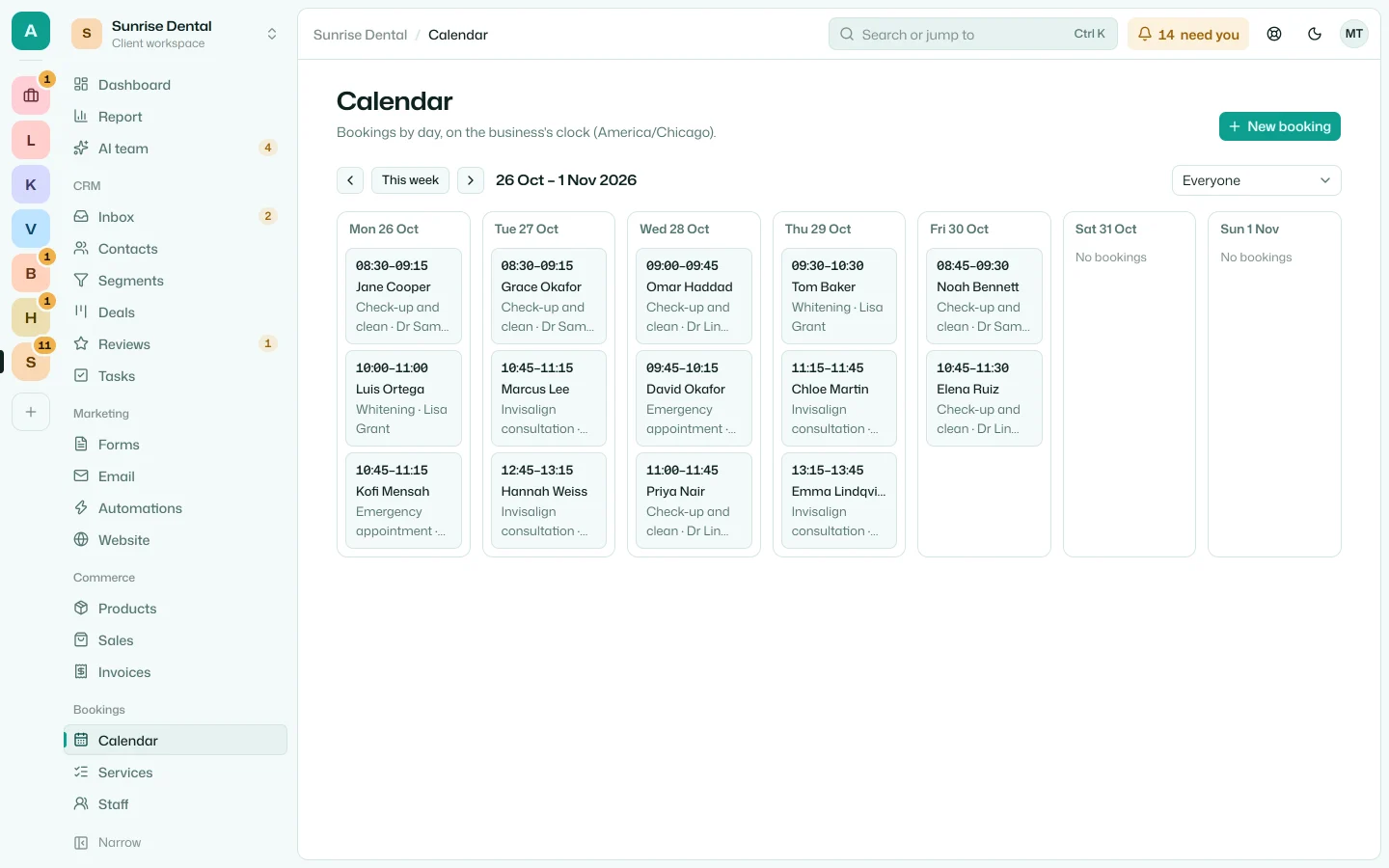
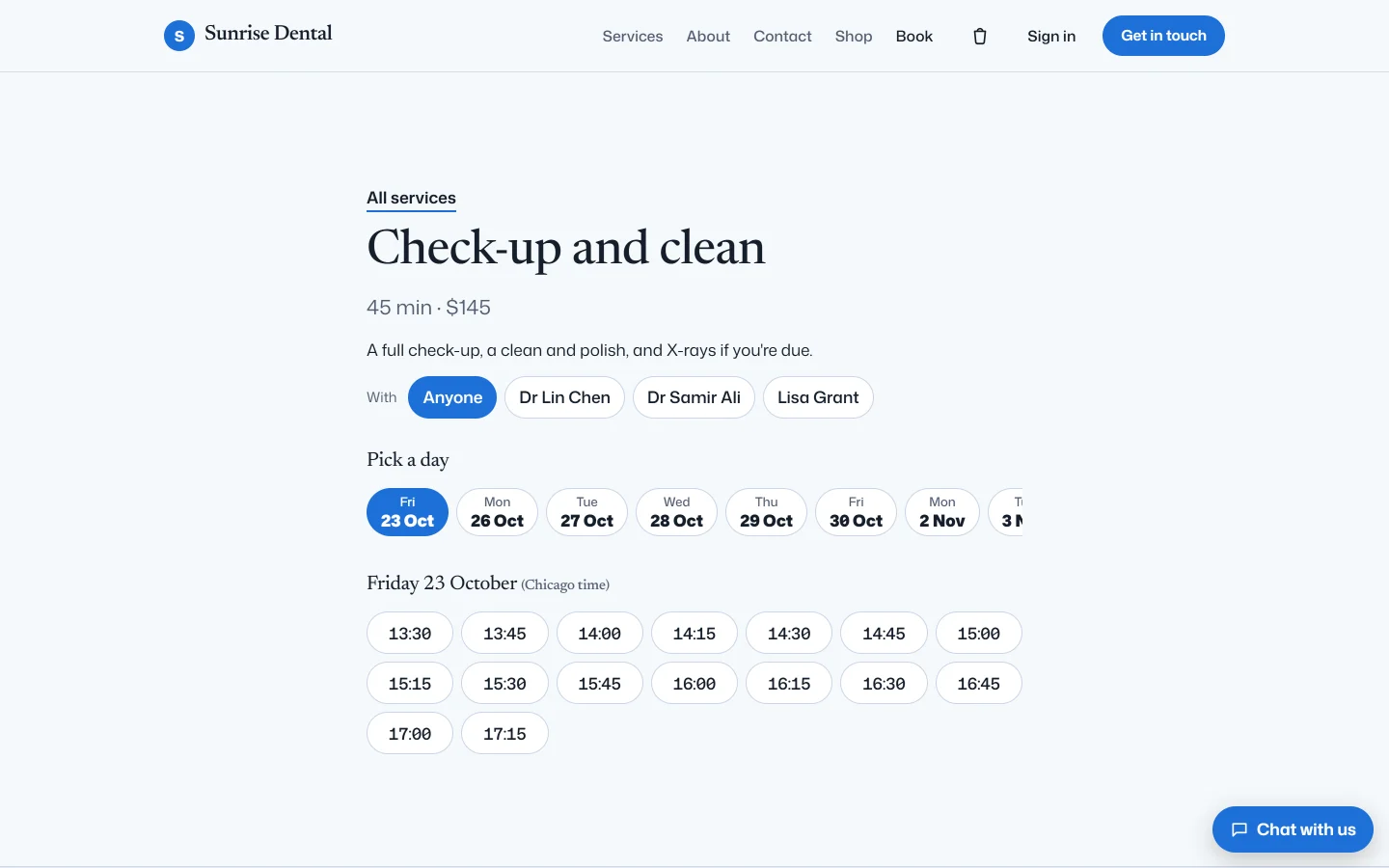
Customers book a free time online, the team sees the week, and reminders go out by themselves.

  • Services, staff and their hours
  • A booking page in the client's own look
  • Reminders the day before
  • Moved or cancelled by a link
The team's calendar for next week, with each booking's service and dentist
Sunrise Dental's booking page: a check-up and clean, with today's free times
The front desk's week, and the page where Sunrise Dental's patients pick a time.

Voice and missed calls

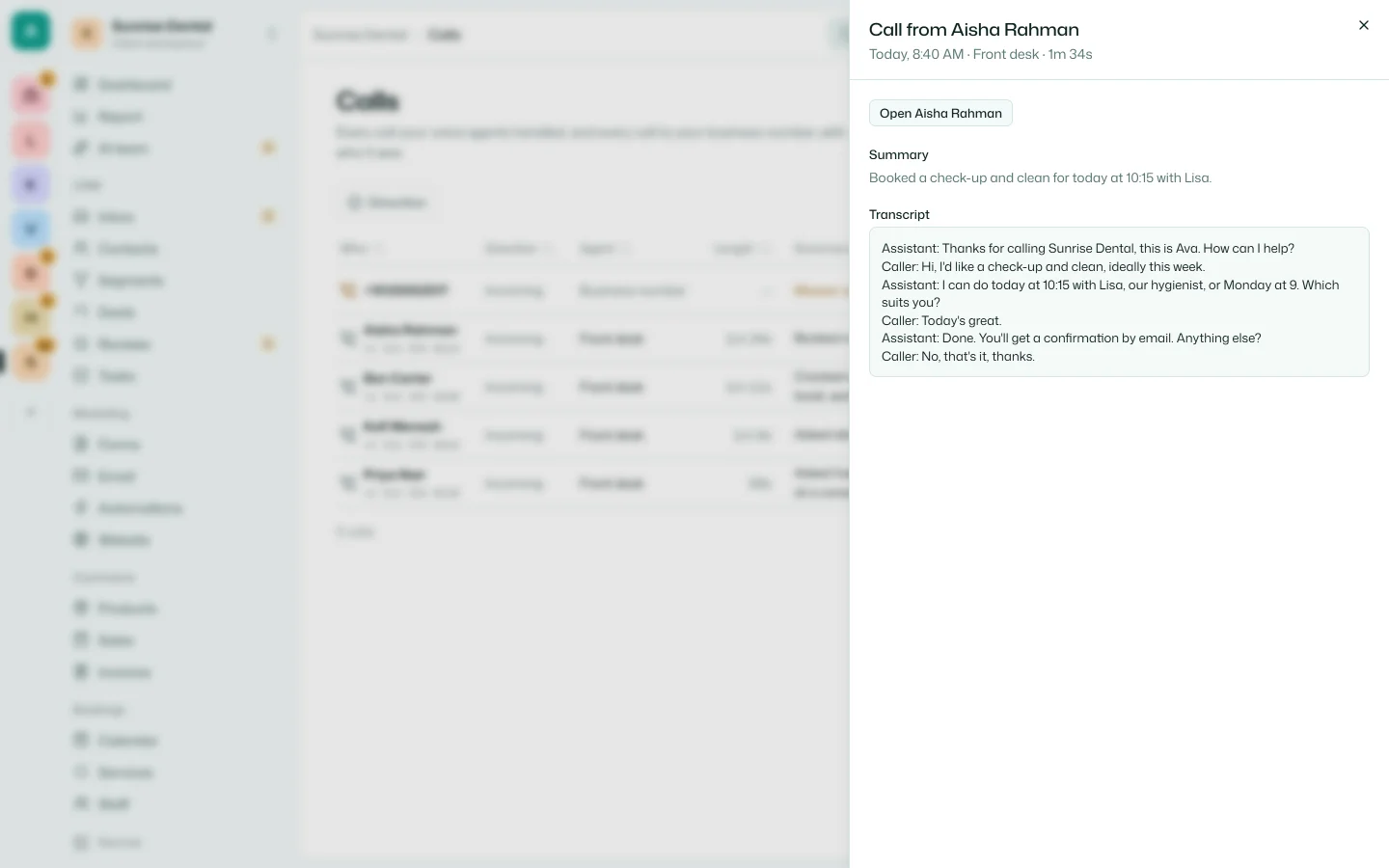
An AI receptionist answers the phone, books the next step and writes up every call. A call nobody answers gets a text back.

  • Calls in and out, on the client's number
  • A transcript and recording of every call
  • Missed calls texted back
  • Calls that start automations
A call the receptionist took: its summary, and the transcript of a check-up booked for today

Payments and a store

Clients sell on their own website and send invoices. Their customers pay through Stripe, straight into the client's account.

  • A shop on the client's website
  • Invoices with a pay link
  • Payment links for any product
  • Sales to send, with the buyer told
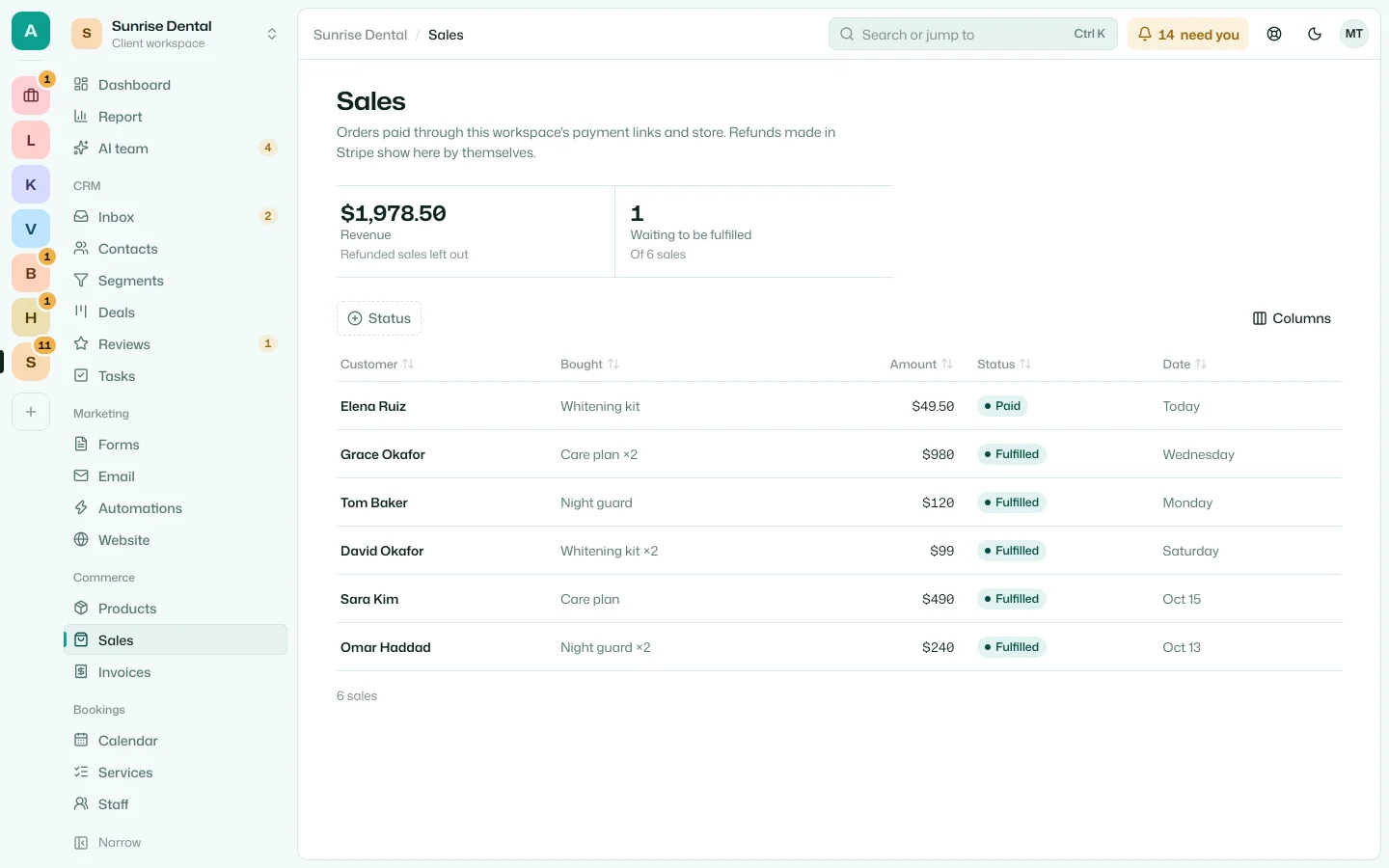
The workspace's sales: what's been paid this month and what's still to send
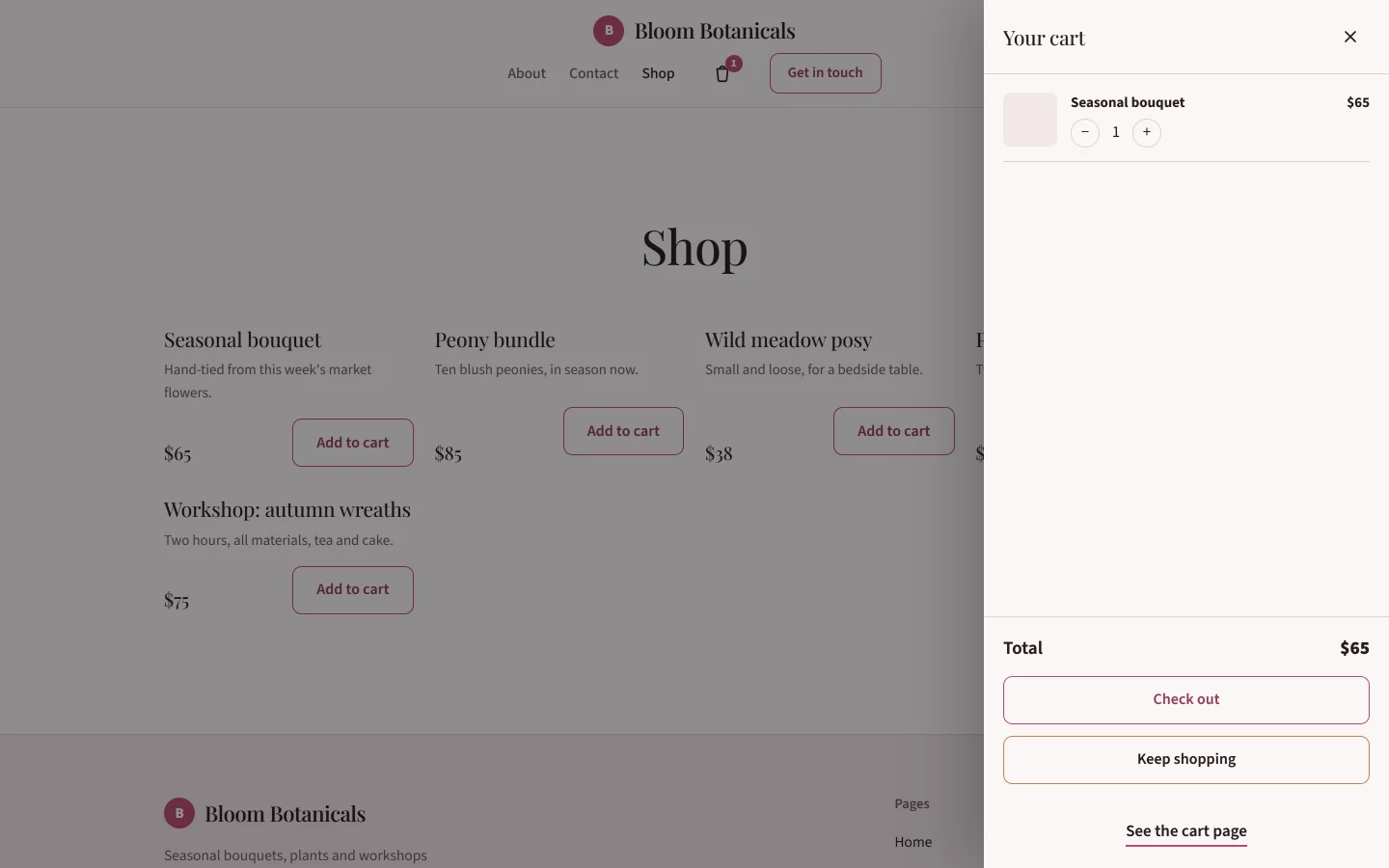
Bloom Botanicals' shop with a bouquet in the cart
The client's sales, and the cart on Bloom Botanicals' website.

Customer portal

A client's customers sign in with a link by email, on the client's own address, in its colours.

  • No password to forget
  • Invoices to pay and orders to follow
  • Bookings to move or cancel
  • Files shared with them
  • Questions, answered in the inbox
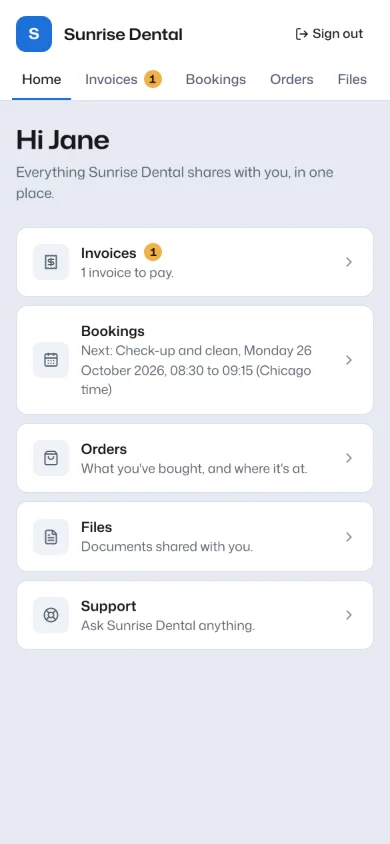
Jane's portal at Sunrise Dental on her phone: an invoice to pay and her next booking
What Sunrise Dental's patient sees.

Run the business

Contacts and pipelines

Every customer in one place, with a timeline of everything they've done, and a deals board the client's team will actually use.

  • Custom fields and tags
  • Segments that keep themselves up to date
  • A deals board, with won and lost
  • Tasks with due dates
  • Imports from a spreadsheet
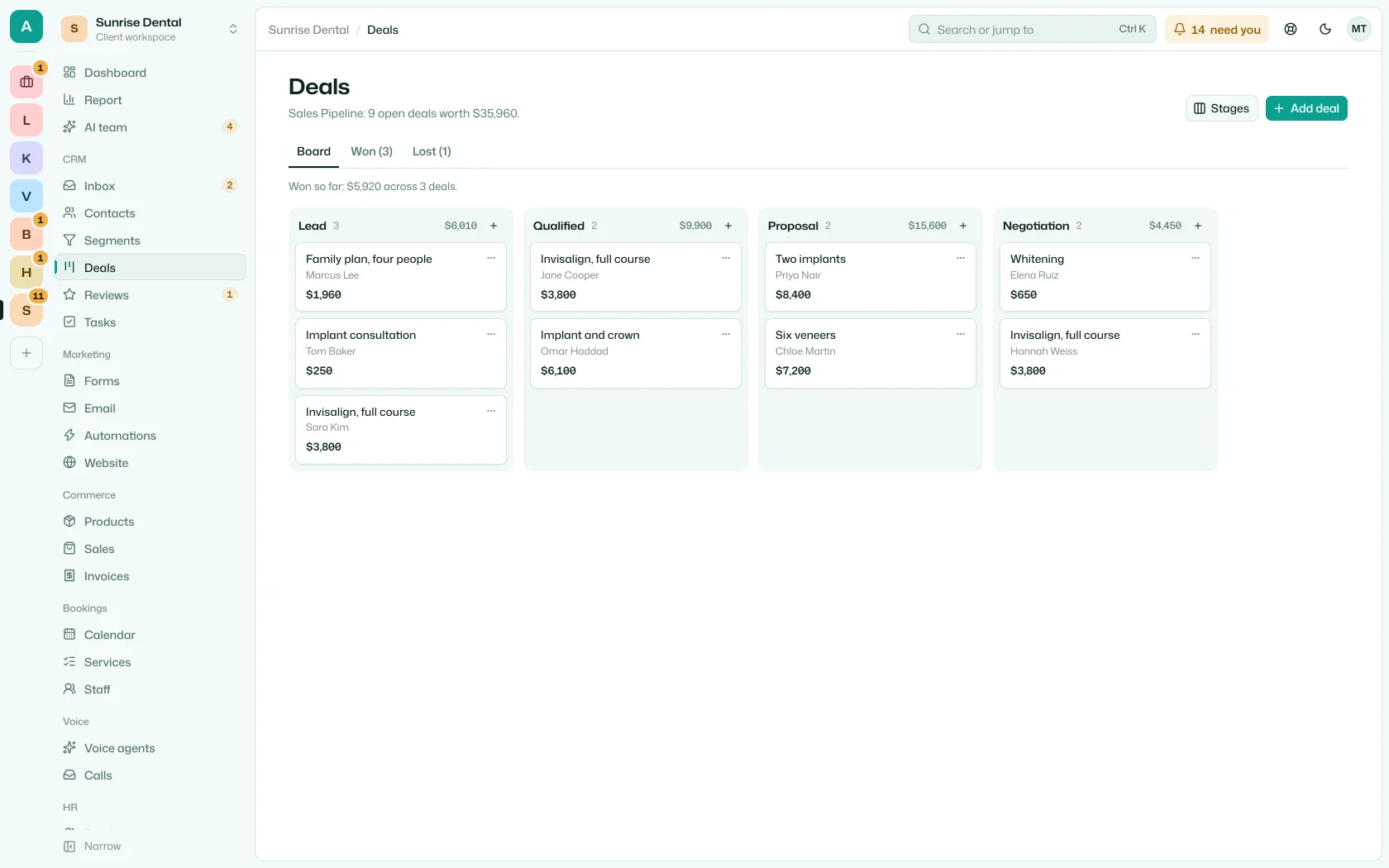
The deals board: open treatments by stage, with the pipeline's total

HR

For the client's own staff: their records, the week's attendance, leave and payroll, and a phone to check in from.

  • Employee records
  • Attendance by the week
  • Checking in from a phone
  • Leave requests and balances
  • Payroll, exported
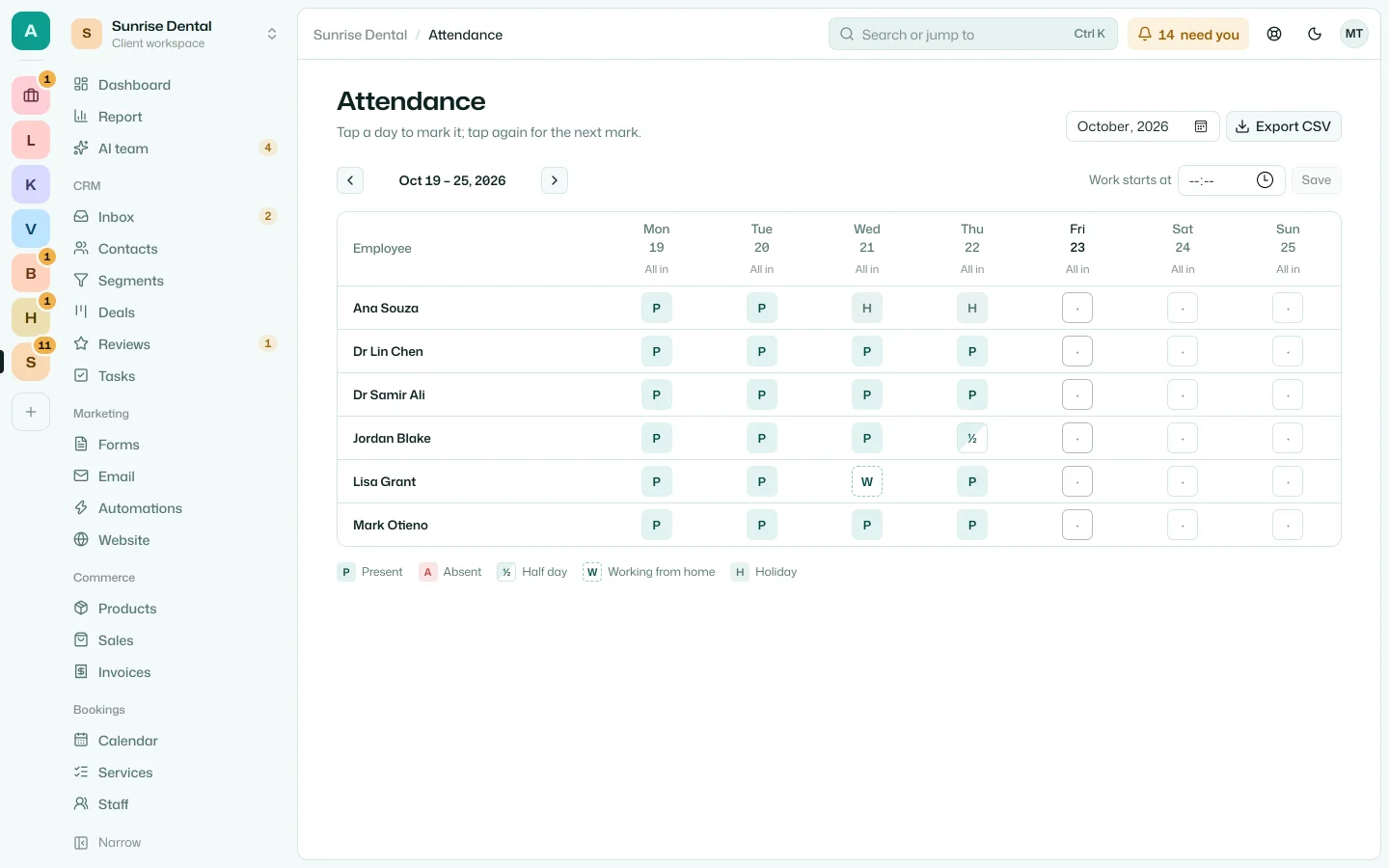
This week's attendance at Sunrise Dental, with a day working from home and two on holiday
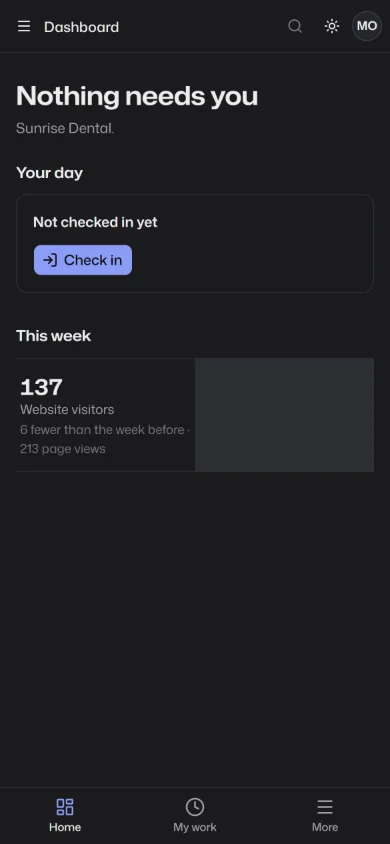
Mark's day on his phone, with the button to check in
The practice manager's week, and the front desk checking in from a phone.

Client reports

A monthly report in your agency's name: leads, bookings, sales, visits and the AI team's work, each against the month before.

  • Emailed to the client every month
  • Your note at the top
  • Ready to print
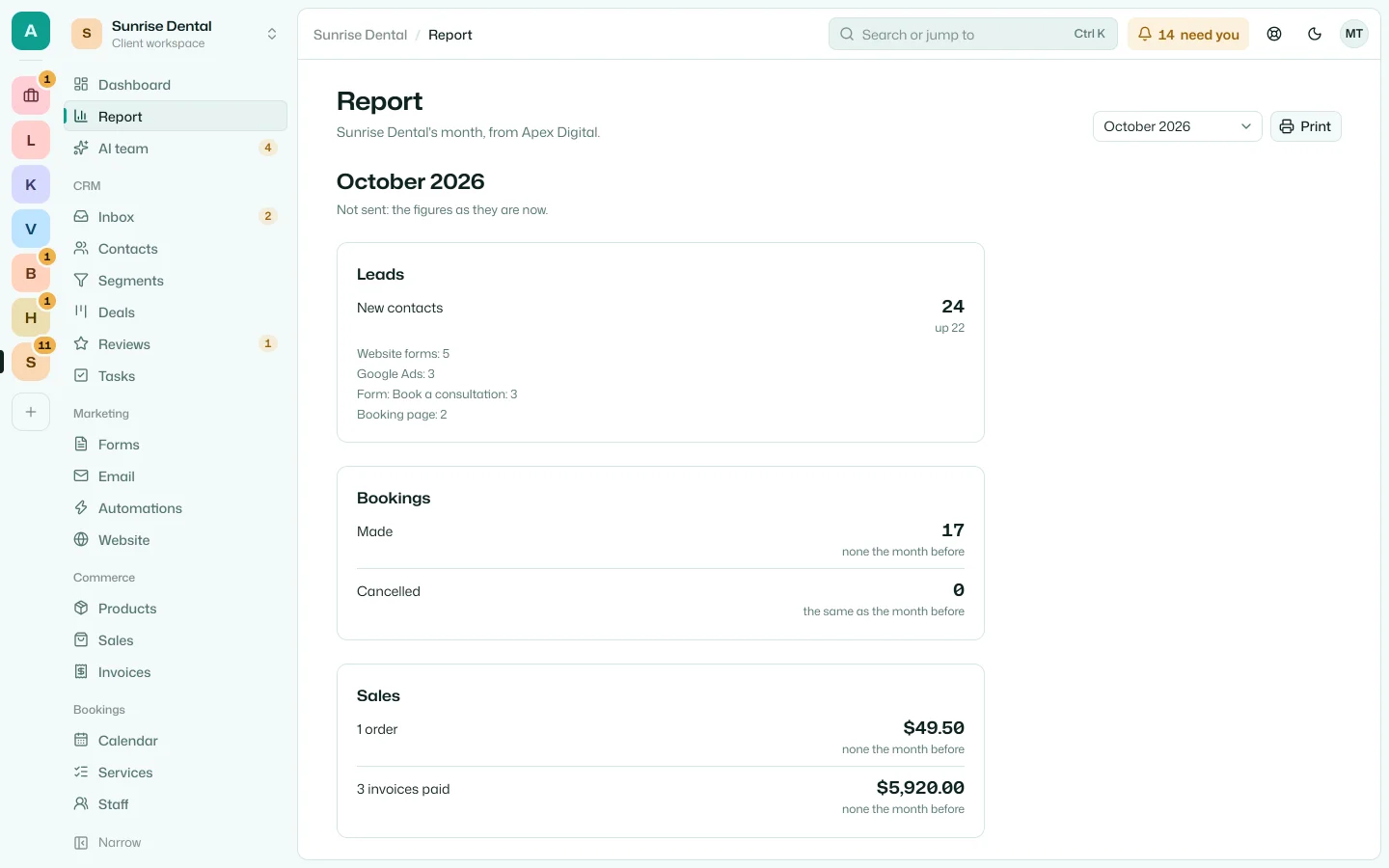
Sunrise Dental's report for October: new contacts by source, bookings and sales

And behind it

The AI team

Teammates that draft website changes, follow-ups and replies from the business's real data, then wait for a person to approve them.

  • Starters for SEO, sales, follow-up and reviews
  • Your own bots, sold to clients as templates
  • Routines on a schedule or when something happens
  • Every change waits for approval

How the AI team works

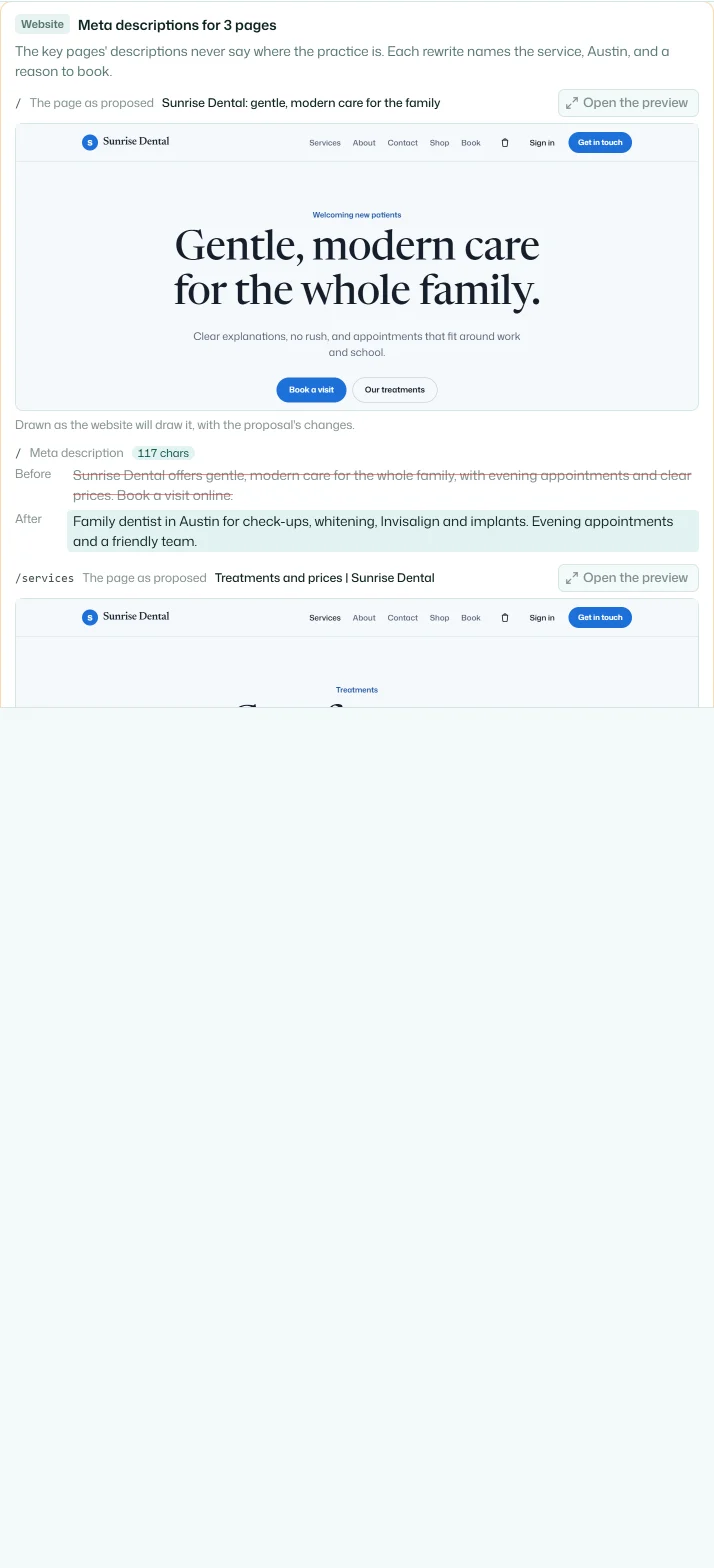
A proposal from Nova: three pages' meta descriptions, each page drawn as it would look, with the words before and after

Your agency's side

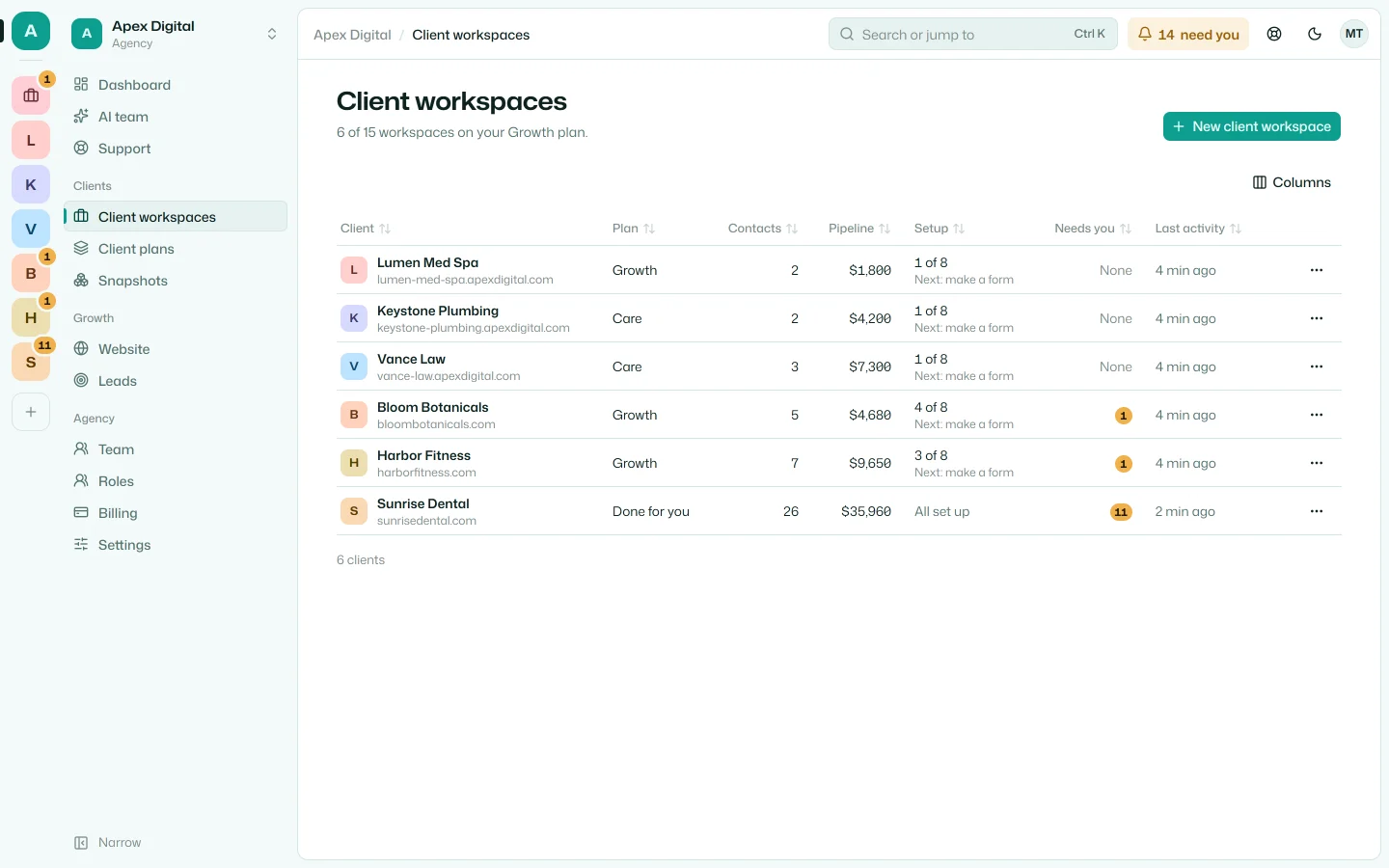
One app for every client: what needs you in each, how far each is set up, and the kits you start new clients from.

  • A client workspace in a click
  • Snapshots: a new client from your best one
  • Client plans, billed through your Stripe
  • Roles, two-factor, and staff on chosen clients
  • Your own website and its leads
  • An app on your phone, with notifications
The agency's clients: each one's plan, contacts, pipeline and how far it's set up

Your clients already pay for software. Make it yours.

Set up your branded platform and add your first client today.

14 days free, then your plan's price. Cancel anytime; you'll get a reminder before you're charged.